
⚡ Quick Access — StreamQ Player
Downloader Code: 3996123
APK URL: app.streamq.tv
If you don't have experience, follow the step-by-step guide below 👇
Today
👋
Hey! I'll help you install the streamq.tv App on your Fire TV Stick.
To download and install the app, you'll need an app called "Downloader". 📲
Takes about 3 minutes — let's go! 🚀
Takes about 3 minutes — let's go! 🚀
Are you ready? 🎯
👆 Tap to continue
What do I need to do?
1 Install Downloader
Open your Fire TV Stick and click on the 🔍 Search Button at the top.
Search for "Downloader by AFT News" and install the app.
Search for "Downloader by AFT News" and install the app.
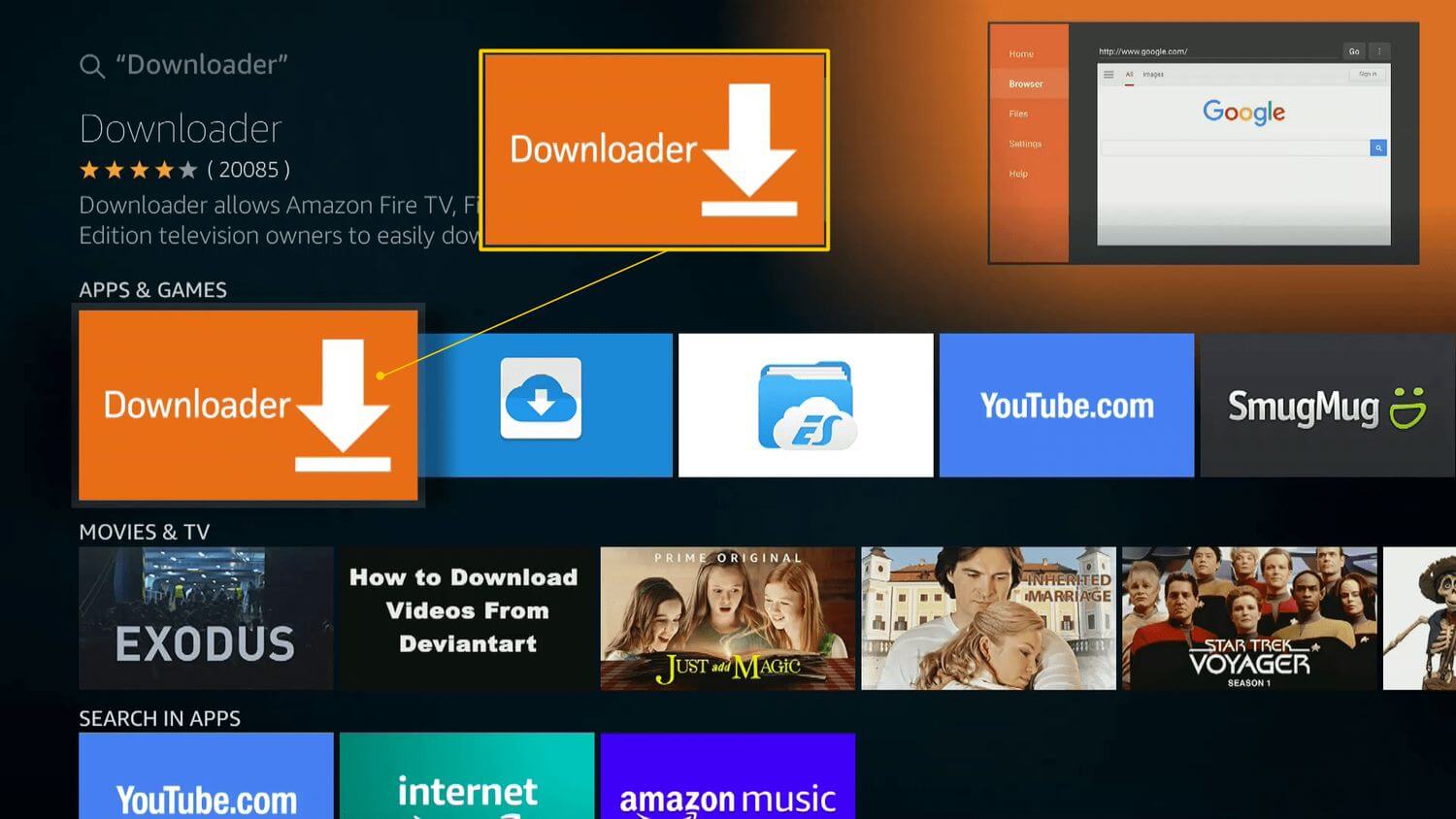
Have you found and installed Downloader by AFT News? 🔍
👆 Tap to continue
Yes, Downloader installed ✅
2 Open My Fire TV
Now we need to allow Unknown Sources because we install the streamq.tv app directly (Sideload APK). 🔧
Go to Settings and click „My Fire TV".
Go to Settings and click „My Fire TV".
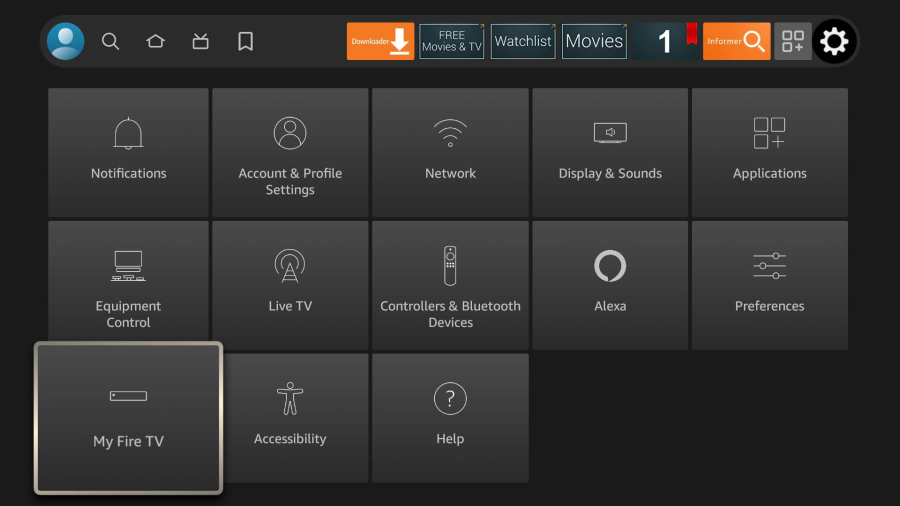
Have you My Fire TV opened? ⚙️
👆 Tap to continue
Yes, My Fire TV is open ✅
3 Find Developer Options
You should see „Developer Options" . Click on it.
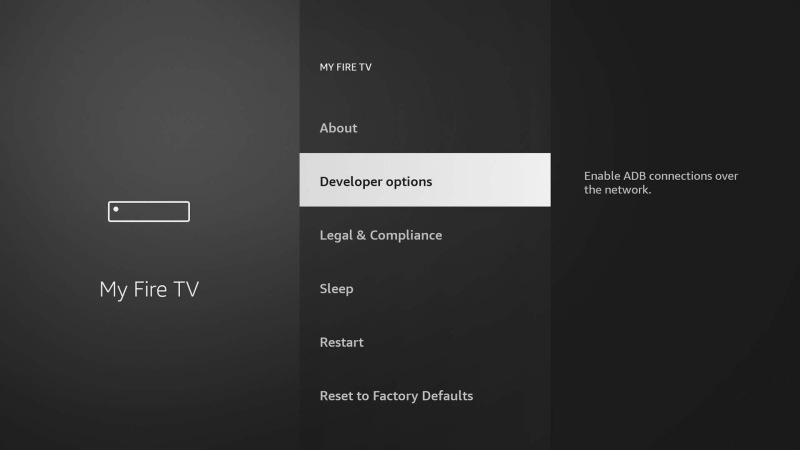
Don't see "Developer Options"? Go to About and press the OK button 7 times in a row on your remote. The menu item will then appear!
Have you found Developer Options? 🔧
👆 Tap to continue
Developer Options found ✅
4 Install Unknown Apps
Click „Install Unknown Apps".
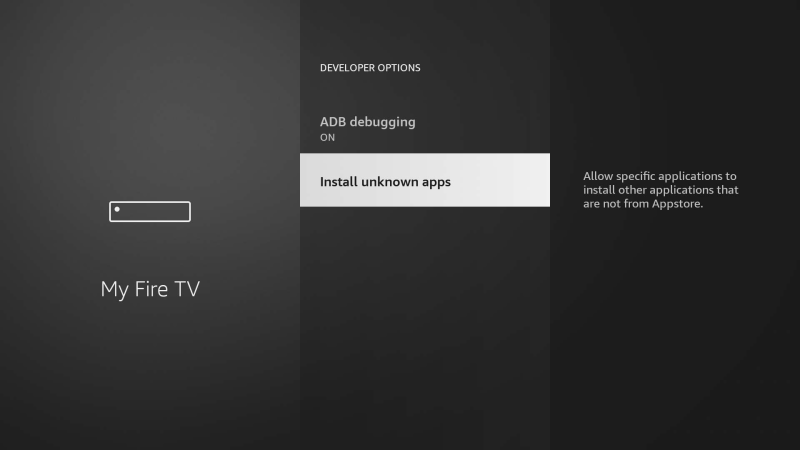
Have you Install Unknown Apps opened? 🔓
👆 Tap to continue
Install Unknown Apps opened ✅
5 Allow Downloader
Find the Downloader app there — switch it from OFF → ON. ✅
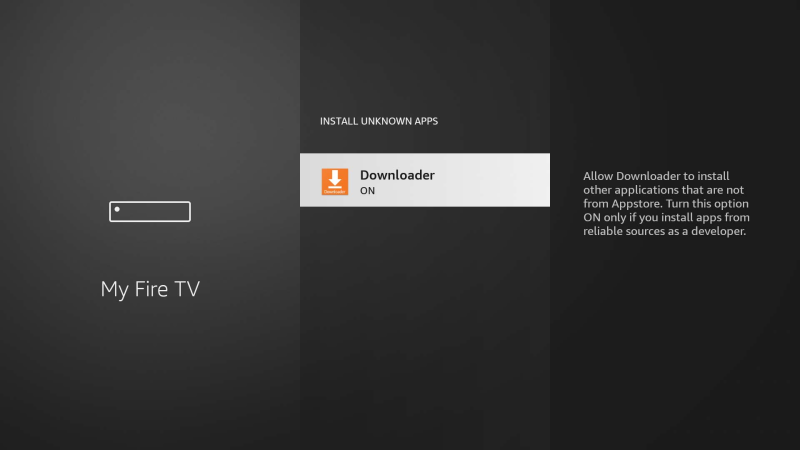
Is the Downloader app now set to ON? ✅
👆 Tap to continue
Ist auf ON geschaltet ✅
6 Open Downloader
Go to the home menu and open the Downloader by AFT News App. 📂
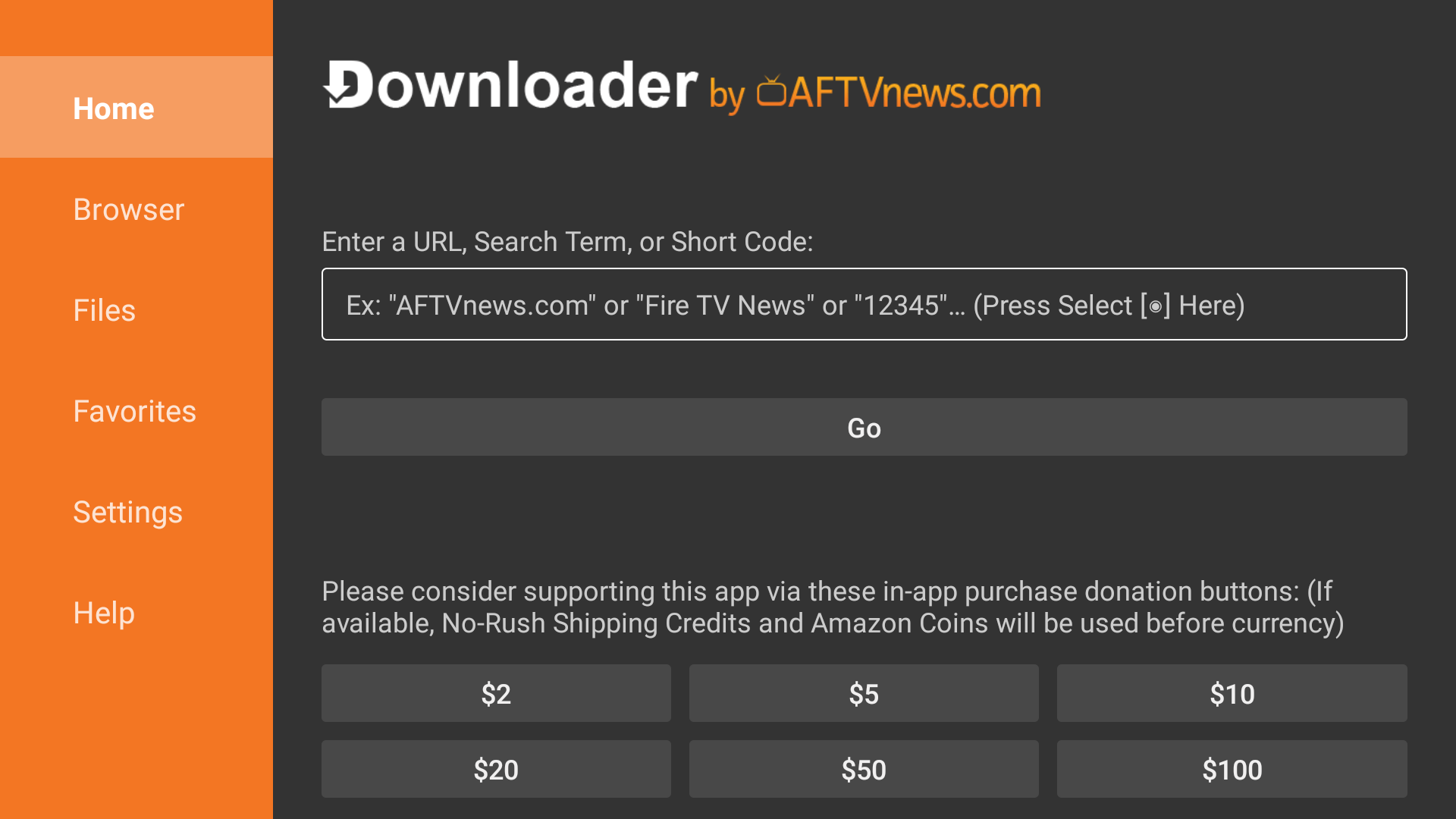
Have you opened the Downloader App? 📂
👆 Tap to continue
Downloader is open! 👍
7 streamq.tv Download App
Enter our APK URL in the Downloader search field or use the Downloader Code:
app.streamq.tv
Copy
— or Downloader Code —
3996123
Copy
streamq.tv App downloaded and installed? 📦
👆 Tap to continue
App installed & opened! 🎉
8 Sign In & Start Streaming
On the login screen, enter your credentials (Username & Password) and press Log In! 🚀
You can find your Username & Password after Sign In
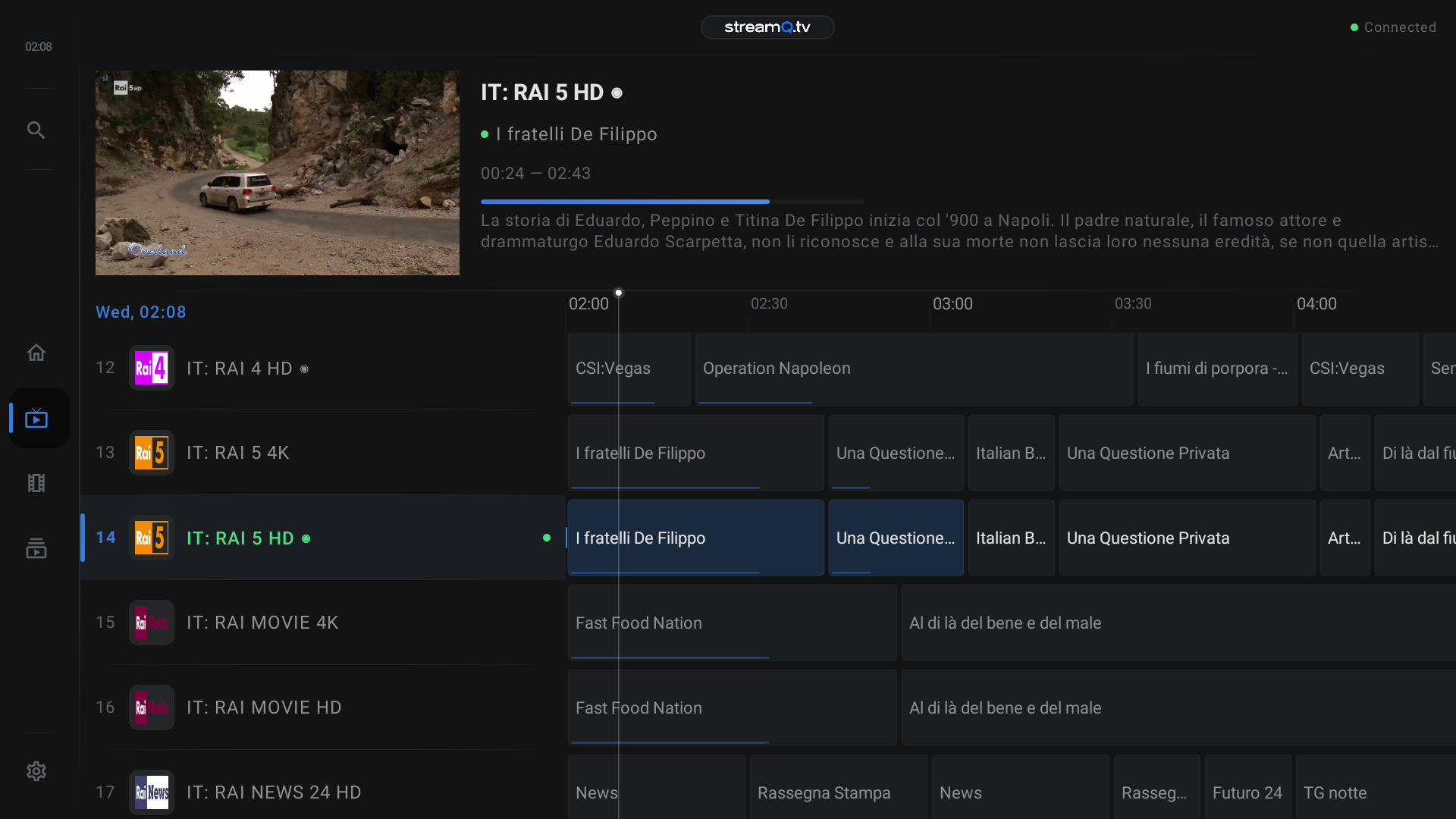
⏳ On first launch, loading may take 2–4 minutes — please be patient! Then the player opens and you can start watching! 📺
✅ Done! Enjoy watching! 🍿
Need help? Contact us directly